01
Know where the hours stand
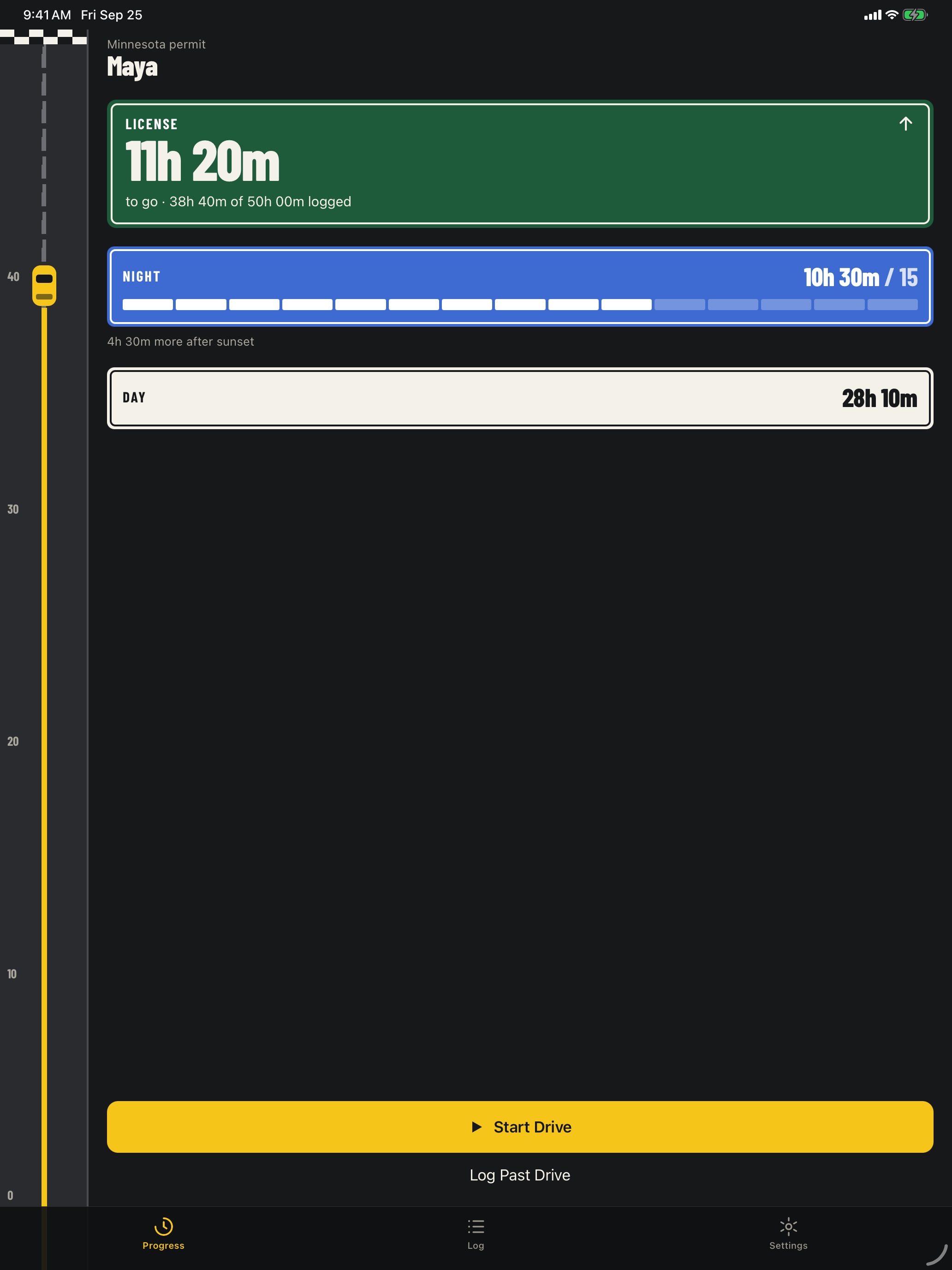
See total, day, and night driving progress without adding times by hand. Requirements follow the selected permit profile, with a general tracker when a state is not listed.
The road to ready
DriveClear helps permit teens and parents track every supervised drive, see day and night progress, and turn the finished log into a PDF.
Coming to iPhone and iPad
Example driving log
The road moves with the log. The license sign shows what remains. Night progress stays separate, so the next practice drive has a clear purpose.
Why DriveClear
Paper logs get lost. Notes apps get messy. DriveClear keeps the record in one place, shows what is left at a glance, and gives families a clear handoff from practice to review.
See total, day, and night driving progress without adding times by hand. Requirements follow the selected permit profile, with a general tracker when a state is not listed.
Run the timer during practice or add a past drive later. Assign the supervisor, road type, notes, and an optional weather condition to keep the record useful.
Parents and guardians can review the completed log, add one certification signature, preview the PDF, and share or print it from the iOS share sheet.
A simple loop for the teen behind the wheel and the adult in the passenger seat.
Choose the supervisor and run the timer, or enter a past session when it is convenient.
DriveClear stores the day and night split with each drive, so the record stays consistent when you review or reprint it.
Check the completed log together, certify it once, preview the PDF, then share or print it when you are ready.
No DriveClear account is required. The driving log lives in the app’s local database on the device. There are no ads or analytics.
Optional approximate location helps calculate the day and night split. If automatic weather is used, one rounded coordinate is sent for the current condition; route history and log details are not.
Read the full privacy policy →DriveClear is being tested for iPhone and iPad. The public App Store release is still in progress.
No. The log is local to the device. Families choose when to export a restorable backup and where to save it.
Yes. Past sessions can be entered manually with their date, time, supervisor, road type, notes, and day/night split.
Minnesota exports use the bundled DVS supervised-driving-log template. Exports for other states are supporting records. Always follow the current instructions from the licensing agency for the permit state.
North Carolina, Colorado, Minnesota, California, Texas, Florida, and Wisconsin. “Other / not listed” provides a general tracker.
DriveClear is in TestFlight now. Ask about early access for your family.
Ask about early access